What is a Design to Email Service?
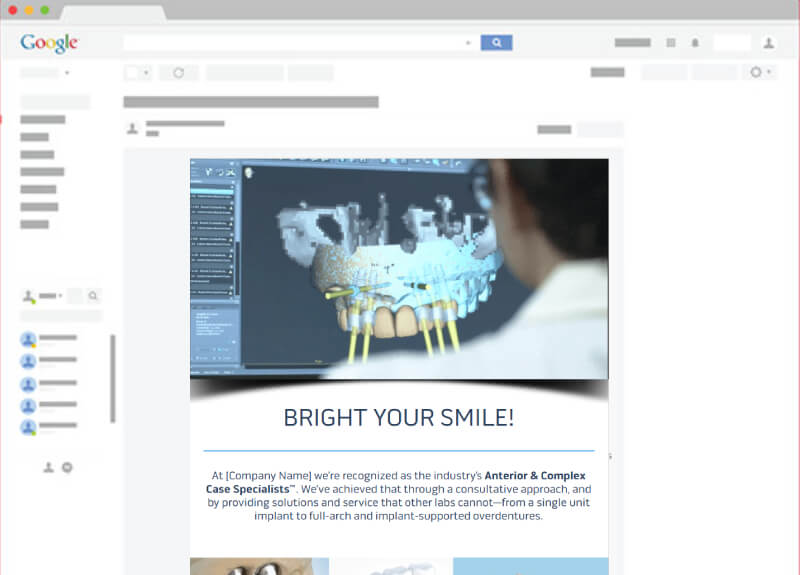
A design to email service converts a finished email design (Figma, PSD, XD, or Sketch) into a hand-coded, responsive HTML email template that renders correctly in Outlook, Gmail, Apple Mail, Yahoo, and 90+ other clients. Output is production-ready code you can paste into any ESP (Mailchimp, Klaviyo, HubSpot, Salesforce Marketing Cloud) or send directly via your own SMTP relay.
Email development is a different discipline from web development. Outlook still uses Microsoft Word's rendering engine. Gmail strips your <style> tags. Yahoo ignores your media queries. Dark mode in Apple Mail inverts your assets. At MarkupFox we hand-code every template against a checklist of known client quirks: table-based architecture, inline CSS, VML fallbacks for Outlook, dark-mode [data-ogsc] selectors, retina @2x images. So your design ships intact across every inbox.
PSD to Email HTML
Send us your .psd file and we ship a production-ready HTML email: table-based markup, fully inlined CSS, retina @2x assets, and dark-mode-aware colour stops. Photoshop layer styles, layer comps, and slice groups are all preserved as a structured component system so future template variants (winback, abandon-cart, post-purchase) are straightforward to extend.
What our PSD to email HTML service includes
- Layer-aware extraction: typography, colour, and spacing pulled from PSD layer styles, not eyeballed from a flattened export
- Table architecture: nested
<table>s with cellpadding="0", cellspacing="0", border="0" and explicit widths everywhere (the only thing Outlook and Yahoo render reliably) - 100% inline CSS: every property inlined onto its element via Premailer or our equivalent step (Gmail strips
<style> blocks) - Dark-mode handling: transparent PNG icons,
[data-ogsc] overrides for Outlook.com and @media (prefers-color-scheme: dark) for Apple Mail - Retina assets:
@2x exports with explicit width/height attributes and bulletproof background-image fallbacks - VML for Outlook backgrounds: wrapped in
<!--[if mso]> conditional comments so non-Outlook clients ignore them - Litmus / Email on Acid test report: full screenshot grid across 90+ clients delivered with the source code
Typical turnaround: 24-48 hours for a single email, 3-5 business days for a 5-template campaign system. Same pricing whether the source is PSD or any other supported format.
Figma to Email HTML
Share a Figma view or edit link and we ship a hand-coded HTML email that matches your design frame-for-frame. Auto Layout frames are translated to nested email-safe tables. Components and Variants become reusable, ESP-ready content blocks. Variables (design tokens) are inlined as the literal colours, sizes, and spacing values that survive Gmail's CSS stripper.
How the Figma to email HTML workflow runs
- Token extraction: Figma Variables become inlined hex/rgb values (no CSS custom properties, as Outlook ignores them)
- Component to block mapping: Figma Components become reusable ESP content blocks with the same naming convention you used in Figma
- Auto Layout to tables: Auto Layout frames are translated to email-safe nested tables with explicit widths (Flexbox and CSS Grid don't work in Outlook)
- Variants to dark-mode states: Figma light/dark variants are wired into the dark-mode CSS (
[data-ogsc] + prefers-color-scheme) - Asset export: Figma image exports auto-optimized to retina
@2x with bulletproof width/height attributes - Spec sheet: every breakpoint, font fallback, and dark-mode override documented so future devs can extend the template without guessing
Typical turnaround: 24–48 hours for a single email. We can also work directly inside your Figma file if you give us comment access (useful when designs are still being iterated and quick QA loops save a round of Litmus retests).